Spinning wheel launcher with privacy-focused customization
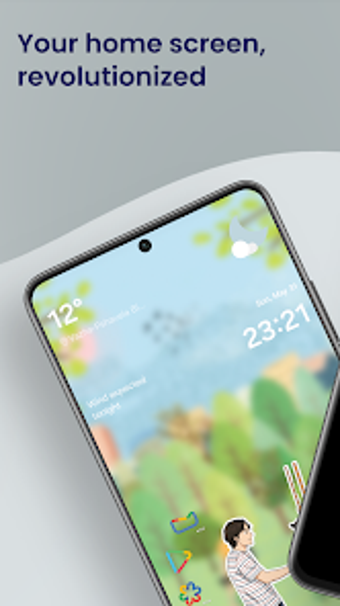
Nocebo Launcher, from Gurdge, reimagines the Android home screen around a rotating app wheel for direct orbital navigation. The launcher replaces static grids with a tactile, spinning interface that surfaces favorite apps, folders and widgets from a central hub. Key elements include a customizable "Center Sticker", drag-and-drop sorting, integrated widget support in the drawer, and optional gesture controls via Accessibility permissions. It suits Android enthusiasts who want a non-traditional, privacy-focused personalization layer.
What the launcher changes about home-screen navigation
Nocebo replaces the standard app grid with a rotating wheel layout, so users access apps by spinning an orbital ring rather than tapping fixed icons. The design centers on a configurable Center Sticker that anchors the spinner, and the dynamic app drawer exposes widgets directly inside the wheel, which alters how shortcuts and widgets occupy the primary home area.
How much control you get over appearance and layout
The launcher provides explicit layout controls: drag-and-drop sorting, folder creation on the wheel, and a replaceable center image for personalization. The app supports gesture-based system actions as an optional layer, enabled through Accessibility permission, giving users choice between touch gestures and wheel navigation for common tasks.
Resource footprint and responsiveness during daily use
The developer describes the interface as lightweight and responsive, and the launcher runs as an Android personalization app that prioritizes fluid animations. Animated navigation and widget integration imply GPU-backed rendering, and the launcher’s emphasis on responsiveness suggests low latency interactions during routine app switching.
Installation, permissions, and compatibility considerations
Setup requires standard Android launcher configuration plus an optional Accessibility permission to activate gesture features such as double-tap to turn the screen off. The launcher targets compatible Android releases listed on its store page, and the developer advertises a zero-tracking policy, so privacy-conscious users keep local control over their data while configuring the new interaction model.
A distinct option for users who want a different home-screen model
Nocebo Launcher is a distinctive choice for Android users seeking a tactile, wheel-based home screen and explicit privacy guarantees. The spinning paradigm departs from conventional layouts, so expect an adjustment period to re-learn navigation patterns. For enthusiasts who accept a novel interaction model, the launcher provides a focused way to personalize how apps and widgets are accessed.